HD Voice explained: why some calls sound crisp and others sound like a tin can
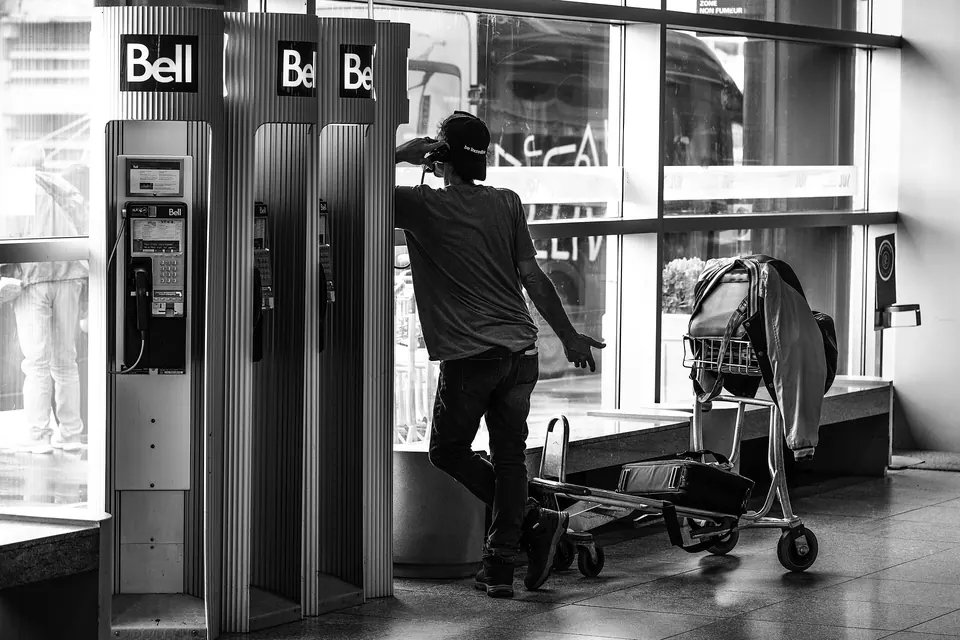
Some calls sound as if the other person is in the room. Others make "f" and "s" impossible to tell apart, so you end up spelling your postcode with "F for Freddie". The difference is rarely your hearing or the other person's phone. It is mostly about how much of the voice the network was asked to carry, and whether every link between the two of you agreed to carry it. That is what the label "HD Voice" is about.
The telephone band: an old compromise still in use
Classic telephone networks carry roughly 300 to 3,400 Hz of sound. That band was chosen as a trade-off: it keeps speech intelligible while saving capacity on cables and switches. When telephone networks went digital, the standard way to encode a call, ITU-T G.711, sampled that band 8,000 times a second and sent it at 64 kbit/s (ITU-T G.711). Engineers call this narrowband audio.
The problem is that a lot of what makes a voice recognisable sits outside that band. The fundamental pitch of many voices is below 300 Hz, so the network leaves your brain to reconstruct it from the harmonics. The hiss of "s", "f" and "th" carries much of its energy above 3.4 kHz, which is why those consonants blur together. Narrowband calls are understandable, but they demand concentration, and in a noisy place or in a second language that effort adds up.
Wideband, super-wideband and fullband
"HD Voice" is a marketing label, used across the mobile industry and promoted by the GSMA, the operators' association, for calls that carry a wider slice of audio. Behind the label are a few codecs, the software that compresses the voice for transmission:
| Name | Typical audio range | Codec examples | Where you meet it |
|---|---|---|---|
| Narrowband | about 300–3,400 Hz | G.711, AMR | Traditional landlines, 2G calls, any call that falls back |
| Wideband ("HD Voice") | about 50–7,000 Hz | AMR-WB (G.722.2), G.722 | Most VoLTE and Wi-Fi calls between compatible phones, many DECT home phones |
| Super-wideband and fullband | up to about 14,000 Hz (super-wideband) or 20,000 Hz (fullband) | EVS, Opus | Newer VoLTE and 5G voice where supported, and most calling apps |
The mobile wideband codec, AMR-WB, is standardised by the ITU as G.722.2 and designed to give wideband speech at around 16 kbit/s, adapting its rate to radio conditions (ITU-T G.722.2). Its successor, EVS (Enhanced Voice Services), was specified by 3GPP, the body that writes mobile standards, for 4G and later networks. It can switch between narrowband, wideband, super-wideband and fullband, and is built to cope better with lost packets (3GPP TS 26.441). Operators often market calls using it as "HD Voice+" or "Ultra HD Voice", but the names are not standardised.
Wider audio does not have to mean more data. Modern codecs are far more efficient than G.711; our guide to how much data a VoIP call uses works through the bit rates codec by codec.
The weakest link decides
An HD call is an agreement, not a feature of one phone. When a call is set up, the two ends and the networks between them negotiate a codec both sides support. If any link in the chain only speaks narrowband, the whole call drops to narrowband, or the network converts the audio from one codec to another along the way. That conversion, called transcoding, throws away the extra bandwidth and adds a little delay.
In practice, a call is likely to stay wideband when:
- Both phones use VoLTE, 5G voice or Wi-Fi calling. On 4G, the voice service is VoLTE; a phone or plan without it falls back to 3G or 2G for calls, which usually means narrowband, and our guide to VoLTE and the 2G/3G switch-off explains why that fallback is disappearing. Wi-Fi calling uses the same voice system as VoLTE, so it can carry HD calls too.
- Both lines are on the same operator, or on operators that exchange calls over an IP interconnection that keeps the wideband codec. Calls between operators were long the main reason HD Voice failed, because the interconnections were built for narrowband. Many have since moved to IP, but not all, and not in every country.
- Neither side is a traditional landline. A call to an ordinary fixed line is limited by that line. Some home phone services and DECT handsets support wideband with G.722, but only between compatible equipment.
International calls are the hardest case. A call that crosses several carriers between two countries has more chances of meeting a narrowband or transcoding hop, so it may sound worse than a domestic call between the same two phones.
Why apps often sound better
When you call through an internet app, both ends run the same software, so the app chooses the codec and never has to negotiate with a telephone network in the middle. Many apps, and browser calls using WebRTC, use Opus, an open codec that adapts from narrowband to fullband according to the connection. That is why an app call between two smartphones on good Wi-Fi often sounds richer than a regular call between the same phones.
The trade-off is that app quality depends entirely on your data connection. On a crowded or unstable network, the app lowers its bit rate, and packet loss and jitter take over as the main problem. Our guide to why VoIP calls break up covers those effects and how to reduce them.
What you can check yourself
- Turn on VoLTE and Wi-Fi calling. On most phones both are in the mobile network settings. Some plans include them only on request, or not at all on prepaid or older plans; your operator's help pages say which.
- Look for an indicator. Some Android phones show "HD", "VoLTE" or "VoWiFi" in the status bar or on the call screen during an HD call. Not every model does, and the absence of an icon does not prove the call is narrowband.
- Test with a known contact. Call someone on the same operator, both on 4G or 5G, then compare with a call to a landline. If the first does not sound clearly better, check the settings on both phones.
- Mind your headset. Bluetooth adds its own limit. Older hands-free links carried only narrowband audio, and later versions added wideband speech, so an old headset can downgrade a perfect HD call.
- Do not blame the microphone first. A dirty microphone grille, a thick case over it or aggressive noise suppression can make any call sound muffled, but they will not turn a wideband call into a narrowband one. If every call sounds the same, the codec is the more likely cause.
The short version
HD Voice is not a separate service you buy: it is what happens when every part of a call, from your phone and plan to the networks in between and the phone at the other end, supports a wideband codec. A call is only as good as its narrowest link. Keeping VoLTE and Wi-Fi calling on, using a reasonably recent headset and switching to an app for long international calls will remove most of the tin-can effect you can control.
 How calls travel
Why VoIP calls break up
Latency, jitter and packet loss, and the fixes for robotic voices and dropped calls.
 How calls travel
VoLTE and the 3G switch-off
Why 2G and 3G are closing, which phones are affected and how to check yours.
 How calls travel
How much data a call uses
Megabytes per hour, worked out codec by codec, headers and both directions included.